
Visual Desktop Sticky Notes & Scratchpad
Keep server IP addresses, one-liner commands, and deployment checklists pinned to your cloud desktop surface. Authentic macOS-style stickies that automatically persist directly on your Linux server.
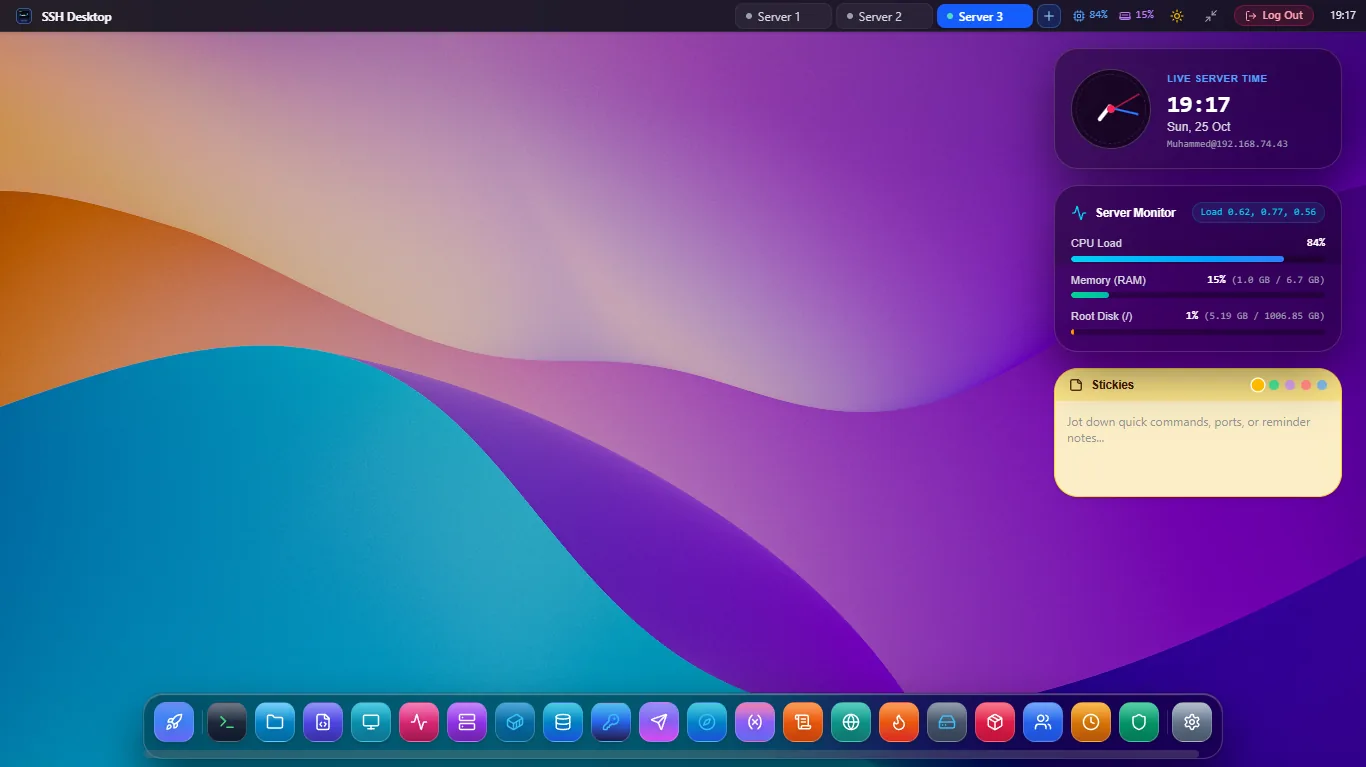
A Scratchpad That Lives Right on Your Server
Server-Side Persistence
Notes are automatically stored in ~/.sshdesktop/stickies.json. They belong to you and your server — never uploaded to external advertising or analytics clouds.
Color Coding & Markdown
Organize by urgency with Yellow, Purple, Cyan, and Amber stickies. Supports checklist bullets, code fences, and clickable HTTP links.
Device Continuity
Switch from your office desktop to your personal laptop — your pinned commands and notes are right where you left them on the remote desktop surface.
Frequently Asked Questions
Can other users on the server read my sticky notes?
No. Sticky note files are created with strict POSIX permissions (chmod 600) owned by your user account, preventing other non-root server users from reading your notes.
Can I collapse or minimize stickies to save screen space?
Yes. Double-clicking the top title bar of any sticky note collapses it into a minimal title strip, letting you keep dozens of notes organized without cluttering your desktop.
Can I paste commands directly from sticky notes into the terminal?
Yes. Code blocks inside sticky notes have a 1-click "Run in Terminal" button that automatically executes the command in your active App 2: PTY Terminal window.
Experience the Ultimate Cloud Desktop for Linux
Download SSH Desktop for Windows, macOS, or Linux. Free and open source with 25 built-in server administration tools.