
Visual UFW & Iptables Firewall Manager
Open ports, restrict source subnets, configure brute-force rate-limiting, and toggle global ALLOW/DENY policies with a safe, visual rule builder. Never get locked out of your server again.
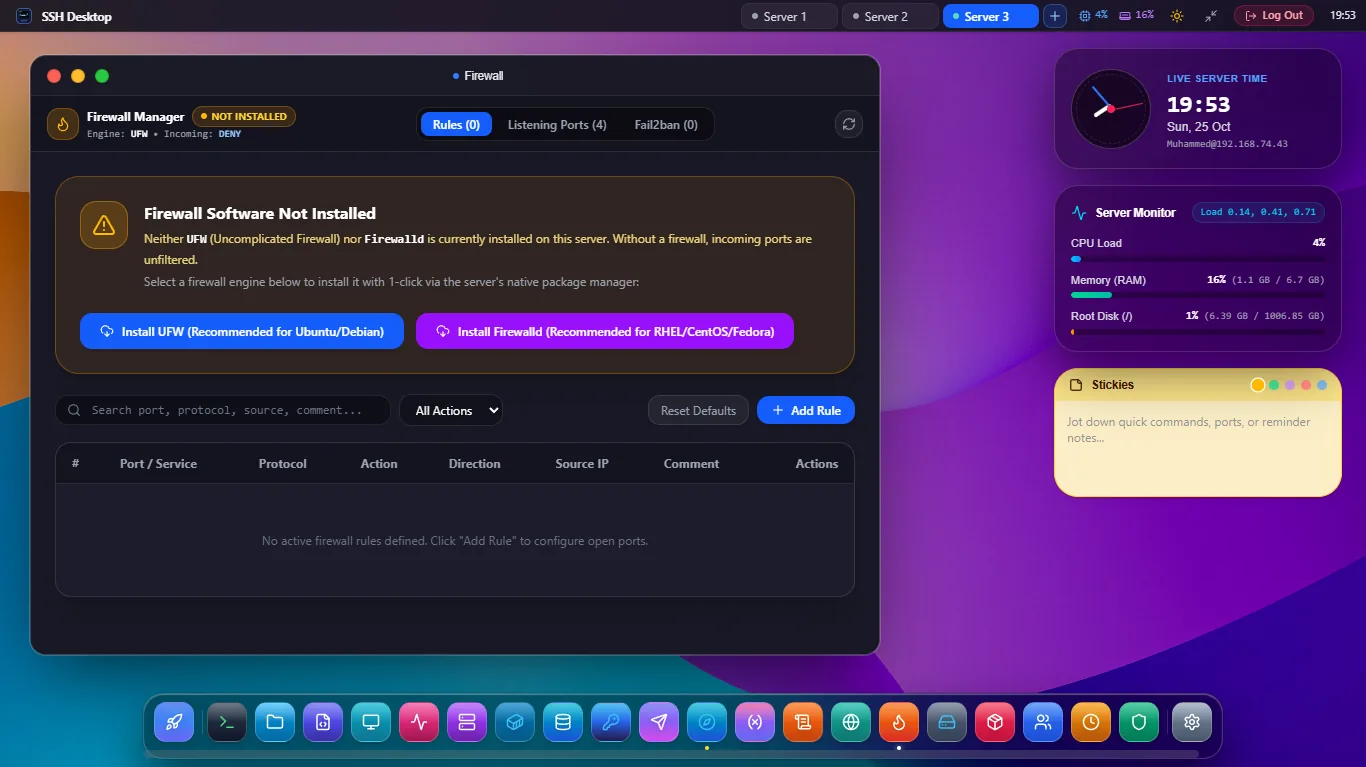
Bulletproof Linux Packet Filtering
Manage your server's security perimeter with clarity and confidence.
Lockout Safety Verification
Conducts automated dry-run preflight checks before applying rules to guarantee you never accidentally block your own SSH connection.
1-Click Service Presets
Open essential ports instantly: SSH (22), HTTP (80), HTTPS (443), MySQL (3306), PostgreSQL (5432), and WireGuard (51820).
Subnet IP Whitelisting
Restrict sensitive database or management ports to specific CIDR blocks (e.g., 192.168.1.0/24 or your office IP).
Brute-Force Rate Limiting
Apply UFW rate-limiting on SSH port 22 to automatically deny IPs attempting 6 or more connections in 30 seconds.
Multi-Backend Detection
Automatically detects whether your system runs ufw (Ubuntu/Debian), iptables, or modern nftables.
Active Packet Counters
Inspect real-time packet hit counters and byte statistics per rule to verify whether firewall rules are actively matching traffic.
Frequently Asked Questions
What Linux distributions are supported by the firewall manager?
SSH Desktop supports all standard Linux distributions including Ubuntu 20.04/22.04/24.04 LTS, Debian 11/12, CentOS/RHEL 8/9, Rocky Linux, AlmaLinux, Fedora, and Arch Linux.
Can I delete or reorder firewall rules?
Yes. You can delete rules with a single click or insert new rules at specific numerical positions (e.g., ufw insert 1 allow ...) to maintain strict rule evaluation order.
Does it support IPv6 rules?
Yes. Rules are applied across both IPv4 and IPv6 tables simultaneously when IPv6 is enabled in your server configuration.
Secure Your Linux Server Visually
Download SSH Desktop for Windows, macOS, or Linux. Configure firewall rules safely with zero lockout risk.