
Visual Backup & Disaster Recovery Orchestrator
Protect production databases, web roots, and Docker volumes against accidental deletion and ransomware. Schedule deduplicated, AES-256 encrypted snapshots to S3, SFTP, or local storage with 1-click instant restores.
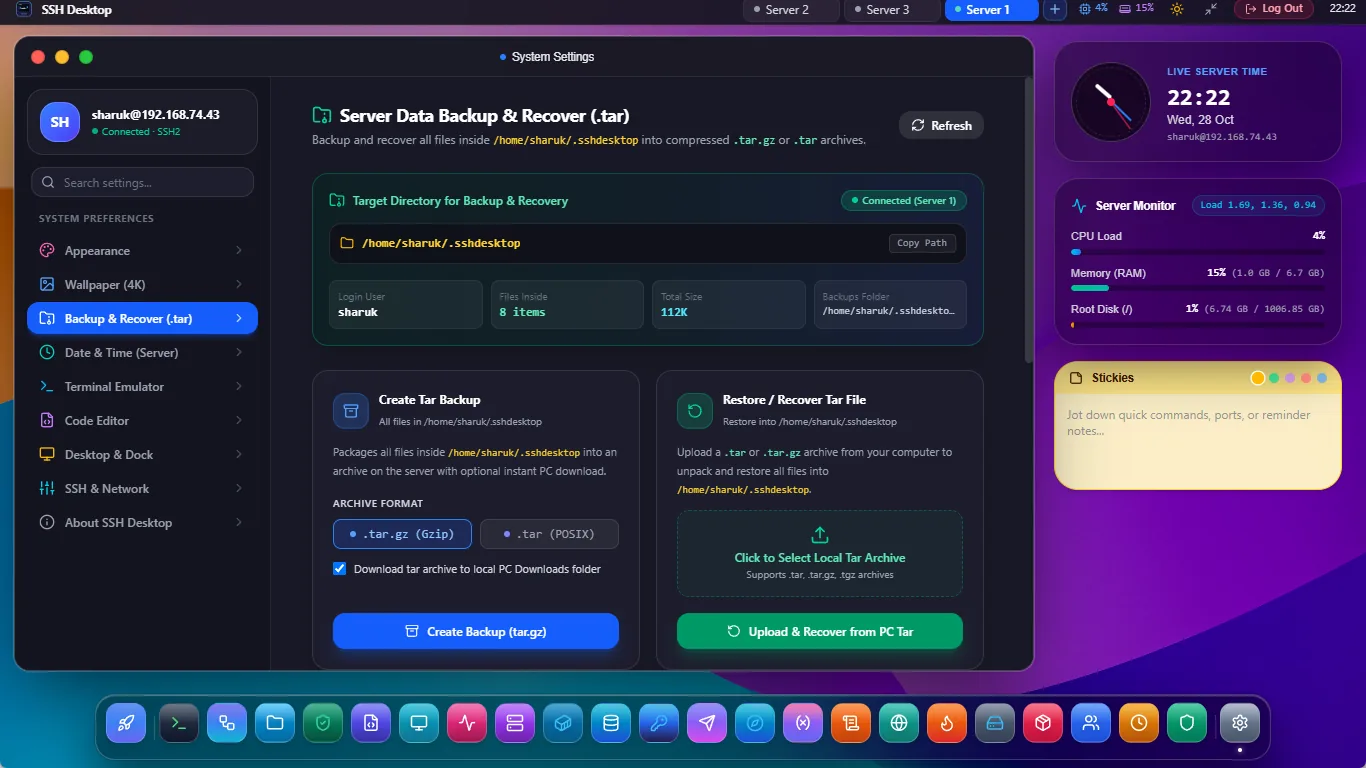
Zero-Loss Incremental Backup Architecture
Client-Side AES-256 Encryption
Every snapshot chunk is encrypted locally before transfer. Cloud providers never hold your encryption keys, ensuring full compliance and ransomware protection.
Chunk-Level Deduplication
Only modified data blocks are transmitted and stored. Retain 30 days of complete database dumps with less than 10% disk growth over baseline.
1-Click Point-in-Time Restore
Browse snapshot files like a standard filesystem. Restore single configuration files or whole server roots in seconds to original or alternative target paths.
Supported Backup Targets & Protocols
| Backup Target | Protocol | Ideal Use Case | Deduplication Support |
|---|---|---|---|
| AWS S3 / Cloudflare R2 | S3 API (HTTPS) | Geographically redundant cloud archival with zero ingress fees | Full (Restic Engine) |
| MinIO / Wasabi / B2 | S3-Compatible | Affordable self-hosted and cloud object storage | Full (Restic Engine) |
| Secondary SSH Server | SFTP / SSH2 | Server-to-server offsite backup over existing private keys | Full (Rsync & Restic) |
| Attached Storage / NAS | NFS / Local block mount | High-speed local disaster recovery on private intranet | Full (Hardlink / Chunk dedupe) |
Frequently Asked Questions
Can I take live backups of active MySQL or PostgreSQL databases?
Yes. The backup orchestrator supports pre-backup and post-backup hooks. It can run mysqldump or pg_dump directly into a temporary stream, guaranteeing transactionally consistent database snapshots without stopping database engines.
How are retention policies configured?
You can define retention rules such as "Keep last 7 daily snapshots, 4 weekly snapshots, and 12 monthly snapshots". SSH Desktop prunes expired snapshots automatically after each successful run.
Does backup execution cause CPU spikes on production?
No. Backup tasks are automatically executed with ionice -c 3 (idle I/O priority) and nice -n 19 (lowest CPU scheduling), ensuring your web and database traffic experiences zero latency degradation.
Protect Your Servers from Catastrophe Today
Download SSH Desktop for Windows, macOS, or Linux. Free and open source with 25 built-in server administration tools.