
The Lightweight Portainer Alternative
Stop running heavy container agents and opening ports 9000/9443. Manage Docker containers, stream live ANSI logs, and launch exec shells over pure encrypted SSH.
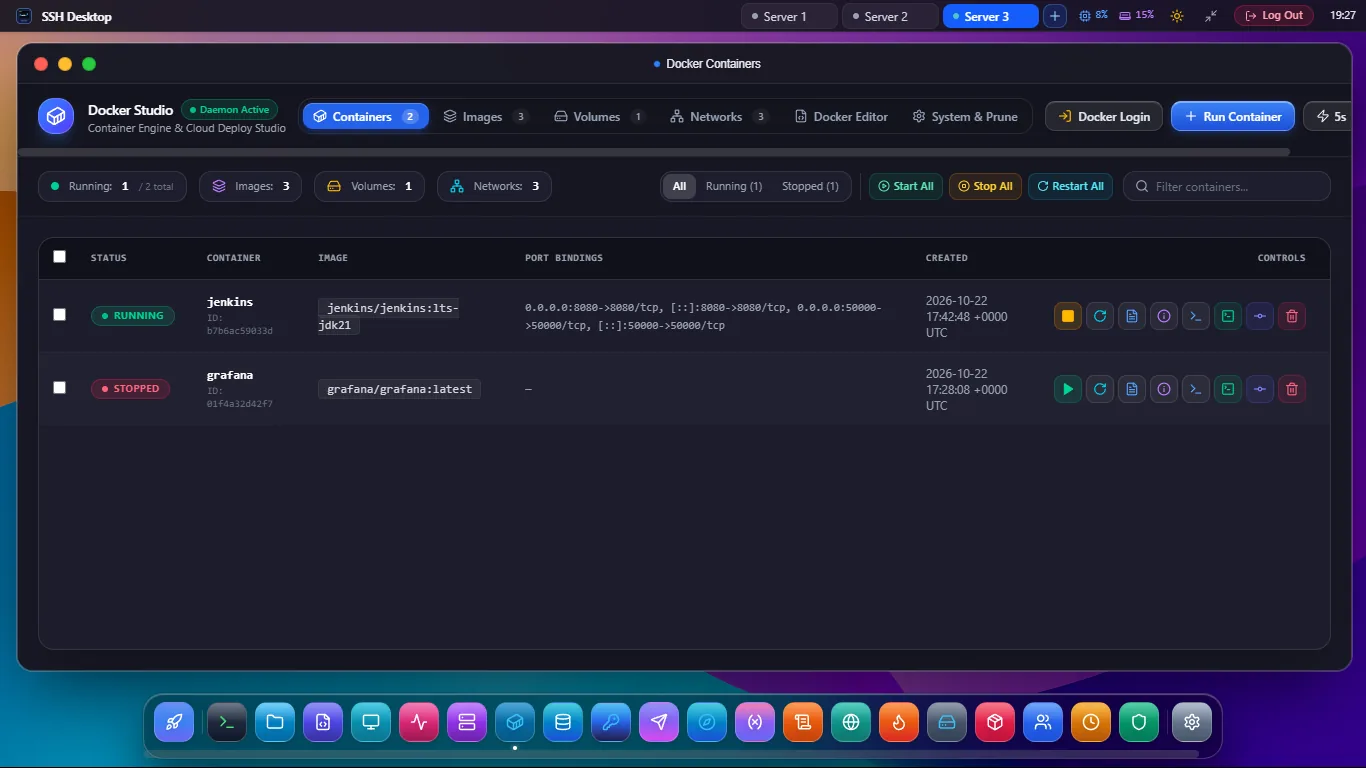
Why Developers Choose SSH Desktop over Portainer
Compare the architecture of a dedicated background agent versus native SSH2 protocol tunneling.
⚠ Portainer Limitations
- Agent Bloat: Requires running a 200MB+ Docker container that consumes 150MB+ RAM constantly.
- Exposed Ports: Exposes web interface ports (9000 / 9443) to external network scanners.
- Commercial Push: Continuous in-app upsells to Portainer Business Edition with node limitations.
- Single-Purpose: Only manages Docker; cannot manage systemd, firewalls, or edit server files.
✓ SSH Desktop Advantages
- Zero Agent Overhead: Communicates via
/var/run/docker.sockwith 0MB permanent server RAM. - No Extra Ports: All communication travels through your existing, hardened SSH port 22.
- 100% Free & Open Source: All features unlocked under Apache 2.0 / MIT with zero paywalls.
- 25 Built-in Apps: Manage Docker, systemd daemons, visual UFW firewall, and SFTP code editor together.
SSH Desktop vs Portainer CE vs Yacht
| Feature / Capability | SSH Desktop | Portainer CE | Yacht |
|---|---|---|---|
| Background RAM Footprint | 0 MB (Zero Agent) | 150MB - 300MB | 100MB+ |
| Public Web Ports Required | None (Port 22 SSH) | Ports 9000 & 9443 | Port 8000 |
| One-Click Exec Shell | Full Xterm.js PTY | Basic Web Console | Web Console |
| Non-Docker Server Management | Systemd, UFW, Cron, SFTP | Docker Only | Docker Only |
| Hardware Key (FIDO2) Auth | Supported via SSH | Paid Business Only | None |
| Cost & Licensing | 100% Free / Open Source | Freemium / Per-Node Fee | Free / Inactive Development |
Frequently Asked Questions
Do I need to uninstall Portainer before using SSH Desktop?
No. SSH Desktop communicates directly with Docker through the Linux socket. You can run SSH Desktop alongside Portainer or stop the Portainer container anytime to reclaim server memory.
Can I manage Docker Compose stacks?
Yes. SSH Desktop groups containers by compose project label, letting you restart or inspect multi-container microservice stacks with ease.
What permissions does my SSH user need?
Your SSH user simply needs to belong to the docker group on the host (sudo usermod -aG docker $USER), or have standard sudo permissions.
Switch to the Zero-Agent Docker Manager
Reclaim your server memory and secure your containers. Download SSH Desktop free today.