
Embedded Monaco Code Editor over SSH
Stop struggling with Nano or downloading remote files. Edit remote scripts, Dockerfiles, and Nginx configurations with full syntax highlighting, in-place diffs, and instant Ctrl+S SFTP sync.
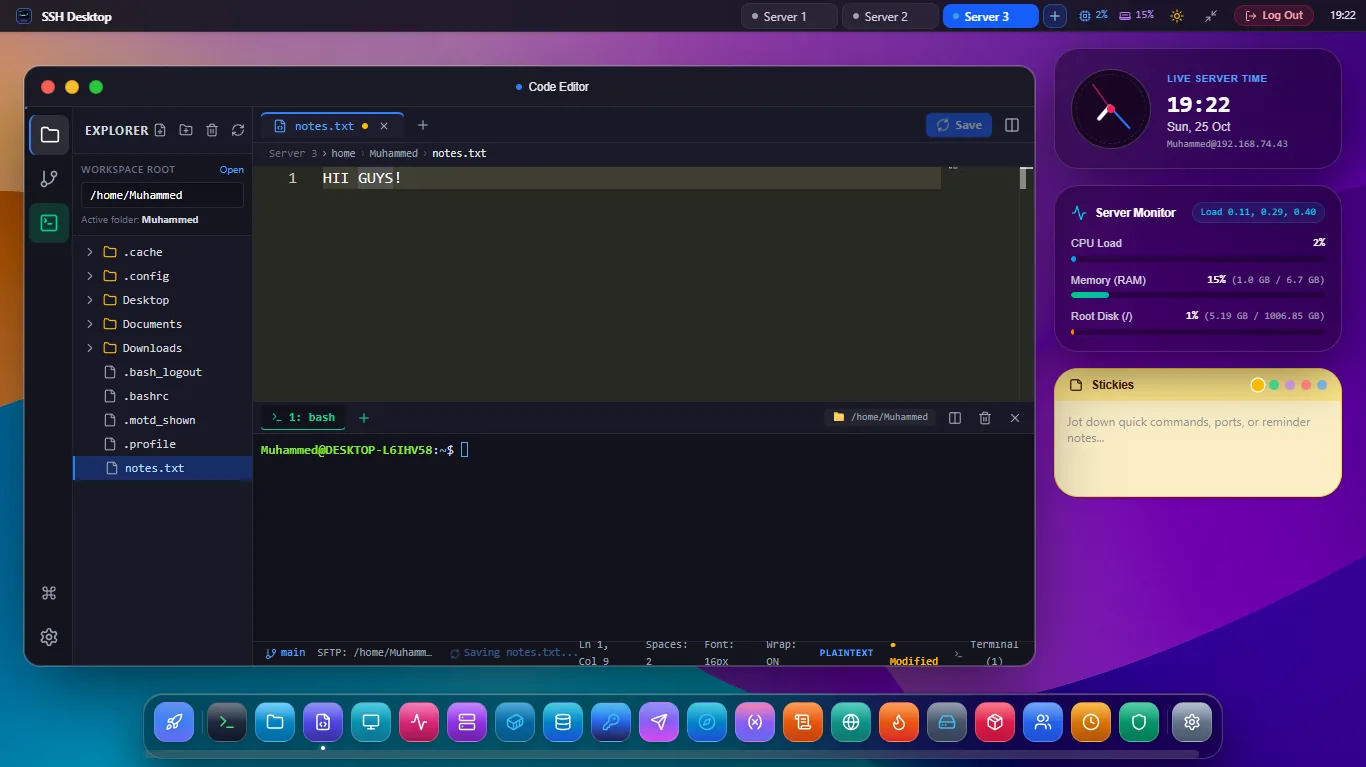
Full VS Code Power Inside Your Remote Desktop
50+ Languages Supported
IntelliSense, syntax highlighting, bracket matching, and auto-indent for Python, JavaScript, TypeScript, Go, Rust, Bash, YAML, JSON, Dockerfile, Nginx, and SQL.
In-Place Diff Viewer
Review every changed line side-by-side before committing changes to critical production files (e.g. nginx.conf or .env).
Atomic SFTP Sync
Save directly over the wire with Ctrl+S. Automatically creates temporary atomic buffers to avoid partial writes or corruptions.
Frequently Asked Questions
Can I use standard VS Code keyboard shortcuts?
Yes! Ctrl+F for Find, Ctrl+H for Replace, Alt+Up/Down to move lines, Ctrl+/ to toggle comments, and multi-cursor editing (Alt+Click) are fully supported.
Can I open multiple files side-by-side in tabs?
Yes. The editor supports horizontal tabs, split-editor panes, and quick tab switching (Ctrl+Tab).
Edit Remote Server Files with Ease
Download SSH Desktop for Windows, macOS, or Linux. Free and open source.