
Visual Environment Variables Manager
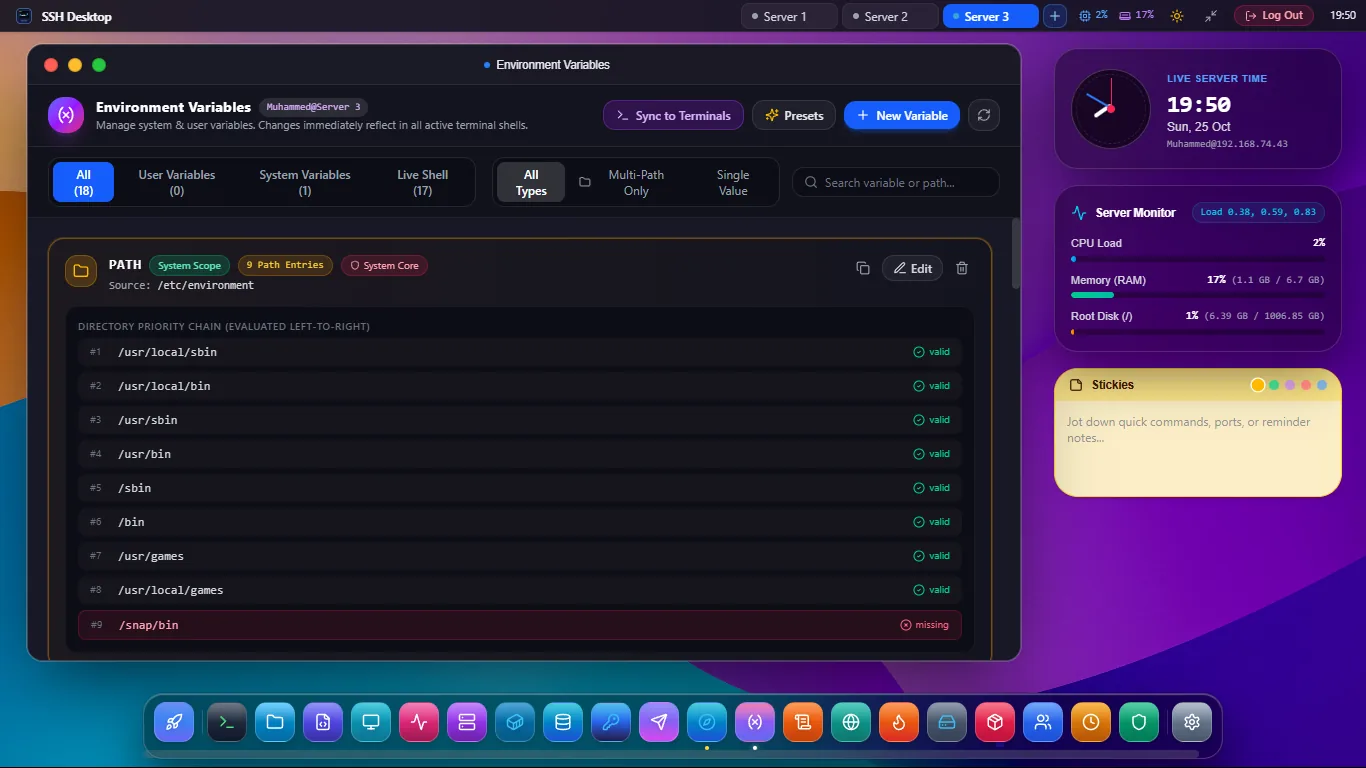
Stop breaking shell sessions with bad exports. Inspect and modify system-wide /etc/environment, user ~/.bashrc, and app .env files with automatic .bak backups and syntax checks.
Zero-Risk Server Environment Governance
Multi-Scope File Support
Seamlessly switch between global /etc/environment, user-specific ~/.bashrc and ~/.profile, and project-level .env files.
Automated .bak Backups
Every write automatically creates a timestamped backup copy. If an export breaks your shell, restore the previous state with a single click.
Secret Masking & Reveal
Sensitive values (API keys, database passwords) are obscured with asterisks by default. Reveal secrets temporarily with a secure toggle button.
Understanding Linux Variable Precedence
| Configuration File | Scope | When Evaluated | Typical Contents |
|---|---|---|---|
/etc/environment |
System-wide (All users & services) | Loaded by PAM at login | Global PATH, LANG=en_US.UTF-8 |
/etc/profile.d/*.sh |
System-wide interactive shells | Evaluated on login shell spawn | Java / Node environment paths |
~/.bashrc |
Current user only | Evaluated on non-login interactive shells | Custom aliases, prompt colors, user exports |
/app/.env |
Application directory | Loaded by app frameworks (Docker, Node, Django) | DATABASE_URL, JWT_SECRET |
Frequently Asked Questions
Why does /etc/environment not support 'export' syntax?
/etc/environment is read by the PAM module (pam_env) which expects simple key-value pairs (KEY=value) rather than shell commands. SSH Desktop automatically strips invalid export keywords to prevent login failures.
Can I visual edit the system PATH variable?
Yes. The dedicated PATH inspector splits the colon-separated string into a clean reorderable list, highlighting invalid or missing directories in red.
Do changes take effect immediately?
For existing running terminal sessions, you can click "Source File" to reload variables immediately (source ~/.bashrc). New terminal sessions will load the updated variables automatically.
Manage Server Environments with Total Safety
Download SSH Desktop for Windows, macOS, or Linux. Free and open source with 25 built-in server administration tools.