
Database GUI with Automatic SSH Tunnel
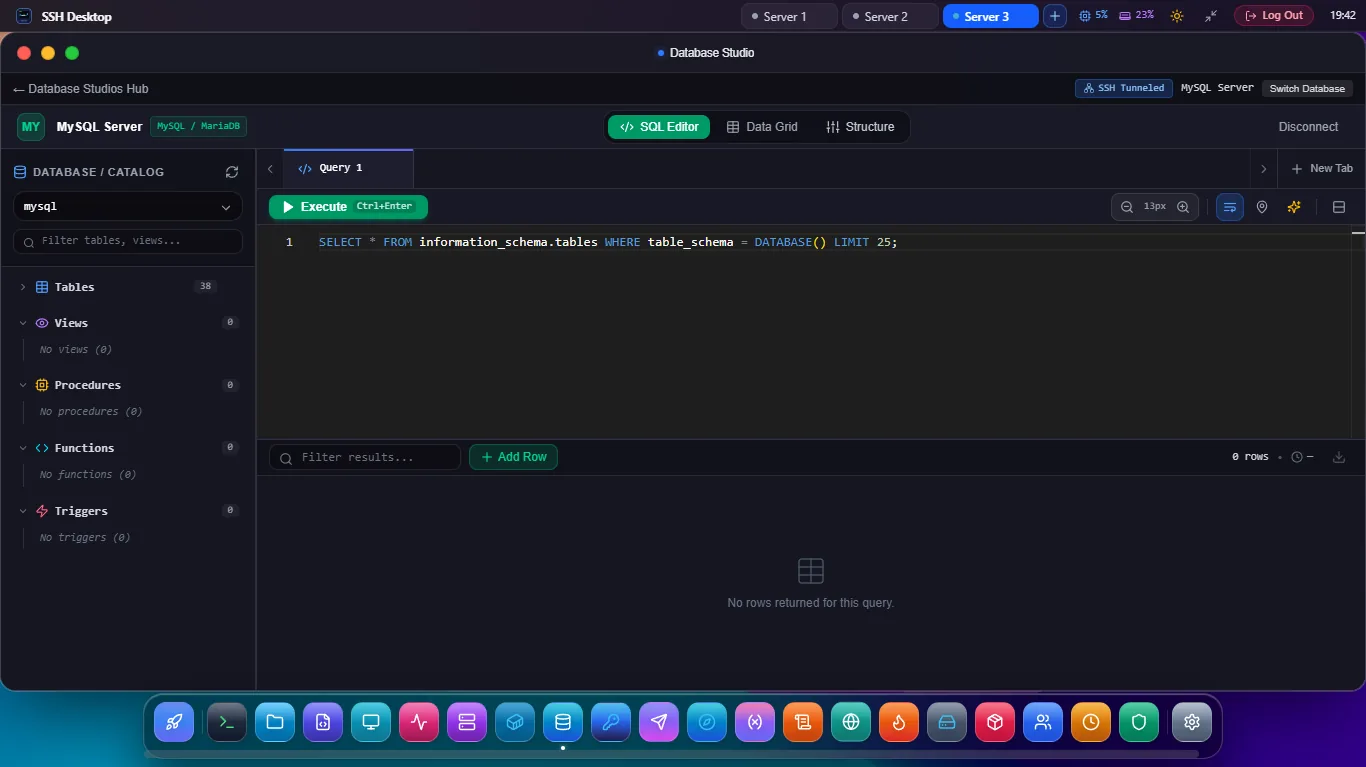
Connect to remote PostgreSQL, MySQL, Redis, and MongoDB databases on 127.0.0.1 without opening database ports to the public internet. Edit rows, execute queries, and inspect caches in one unified studio.
The Danger of Exposing Database Ports
Why enterprise cloud architects mandate SSH tunneling over direct database access.
⚠ Direct Database Port (5432 / 3306)
- Exposed to 50,000+ daily automated port scans and bots.
- Vulnerable to zero-day vulnerabilities in database network layers.
- Database credentials transmitted over public network routes.
- Requires complex IP whitelisting when your office IP changes.
✓ SSH Desktop Encrypted Tunnel
- Database bound strictly to
127.0.0.1(zero public attack surface). - All traffic encrypted with AES-256 / ChaCha20 over standard SSH2.
- Protected by hardware security keys (FIDO2 / YubiKey) and Ed25519.
- Connects through intermediate Bastion / Jump hosts automatically.
12+ Native Database Dialects & NoSQL Stores
One studio for your relational tables, key-value stores, and document collections.
PostgreSQL Studio
Inspect schemas, public/custom search paths, JSONB fields, indexes, foreign keys, and query execution plans (EXPLAIN ANALYZE).
MySQL & MariaDB
Browse tables, view collations, edit rows visually, export dumps, and execute parameterized SQL queries with latency meters.
Redis Cache Inspector
Browse live Redis keys, inspect TTL expiration timers, view Strings, Hashes, Lists, Sets, and execute raw Redis commands in real time.
MongoDB Documents
Query BSON documents visually, filter with JSON criteria, edit document fields, and manage collection indexes over SSH.
SQLite File Browser
Open remote .sqlite and .db files directly on your server without downloading multi-gigabyte files to your PC.
Bastion & ProxyJump
Tunnel databases hidden deep inside private VPC subnets by chaining through multiple jump hosts with zero complex terminal flags.
Frequently Asked Questions
Do I need to install DBeaver, pgAdmin, or MySQL Workbench?
No. SSH Desktop replaces separate, heavy database GUI clients with a fast, built-in database studio that lives alongside your terminal, SFTP browser, and Docker manager in one lightweight app.
Can I edit table cells directly in the data grid?
Yes. Double-click any cell in the data grid to edit numbers, text, dates, or JSON objects. Click 'Apply Changes' to generate and execute atomic SQL UPDATE statements with rollback safety.
Does SSH Desktop support database export to CSV and JSON?
Yes. You can export query results or entire database tables to CSV, JSON, and SQL INSERT dumps in a single click.
Query Remote Databases Securely Today
Download SSH Desktop for Windows, macOS, or Linux. Enjoy zero-config encrypted SSH database tunneling for free.