
Visual Linux Disk Manager & S.M.A.R.T. Health
Never run out of disk space unexpectedly. Inspect partition layouts, pinpoint huge log files with visual directory treemaps (ncdu GUI), audit /etc/fstab mounts, and track NVMe SSD wear life.
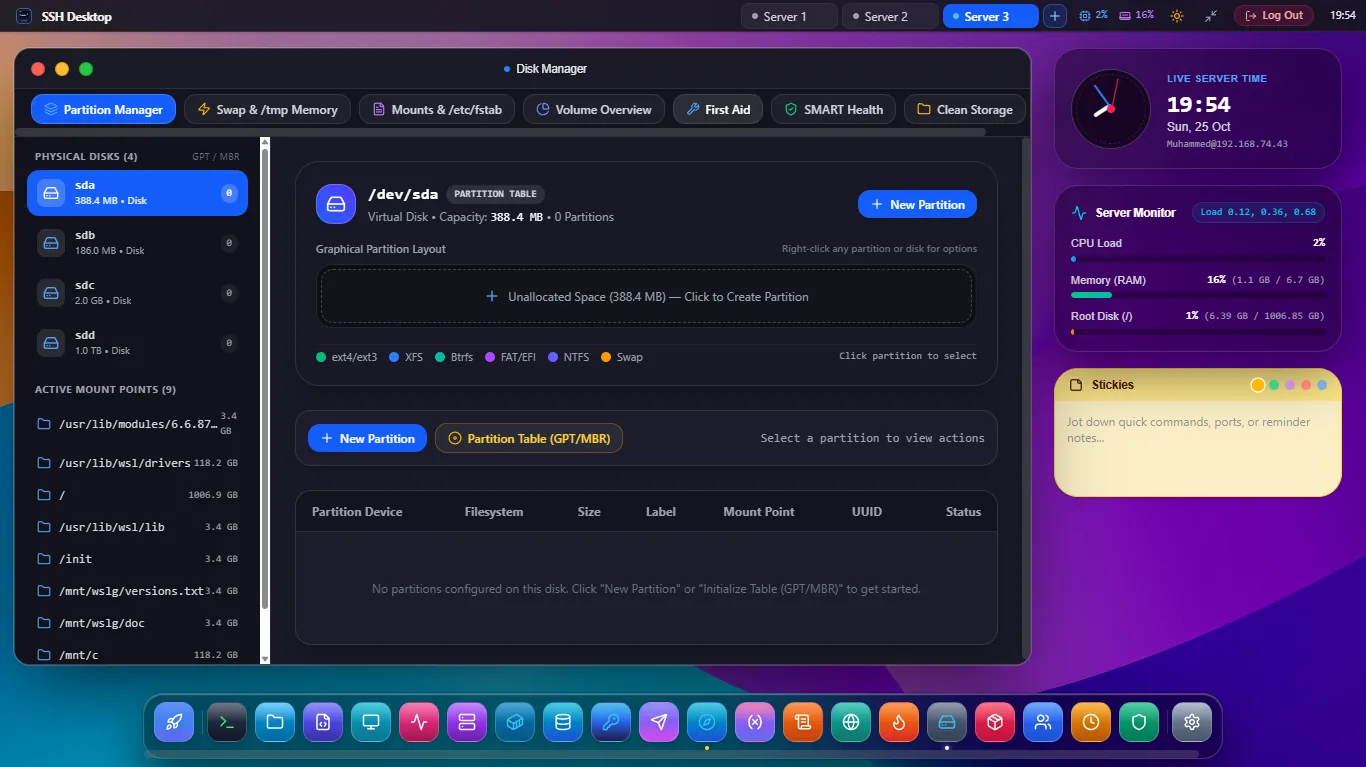
Deep Storage Telemetry & Space Recovery
Partition Usage Gauges
Visual capacity meters for root (/), /var, /home, mounted NFS volumes, and Ceph clusters, warning in red when usage exceeds 85%.
Visual ncdu Treemap
Fast interactive directory tree analyzer recursively calculates space consumption, helping you instantly spot bloated Docker overlays, database dumps, and rotated logs.
S.M.A.R.T. Drive Health
Reads drive wear indicators, reallocated sectors, read error rates, and temperature for NVMe, SATA SSDs, and HDDs to prevent catastrophic drive failure.
Safe /etc/fstab Mount Administration
| Mount Setting | Standard File Entry | SSH Desktop Visual Feature | Failure Prevention |
|---|---|---|---|
| Device Identifier | UUID=xxxx or /dev/nvme0n1p2 | Dropdown list of detected block devices and UUIDs | Prevents boot fails from changed drive letters |
| Mount Point | /mnt/data or /var/lib/docker | Directory browser with automatic directory creation | Ensures mount target directory exists |
| Filesystem Type | ext4, xfs, btrfs, nfs, zfs | Auto-probed filesystem signature verification | Rejects mismatched filesystem driver types |
| Mount Options | defaults,noatime,nofail | Checkboxes for nofail, ro/rw, nodev |
nofail prevents boot hangs if external disk is missing |
Frequently Asked Questions
Can I delete large junk files directly from the directory treemap?
Yes. Right-clicking any large directory or file in the analyzer reveals quick actions to delete, compress into an archive, or open in App 3: SFTP File Manager.
Does SSH Desktop support software RAID or LVM volumes?
Yes. The block device auditor detects Linux LVM volume groups (/dev/mapper/*) and mdadm software RAID arrays, displaying member physical disks and sync status.
How does it check S.M.A.R.T. status on virtual machines?
On bare metal servers, it reads hardware drive telemetry directly via smartctl. On cloud VPS instances (AWS EC2, Hetzner, DigitalOcean) where virtualized disks lack physical S.M.A.R.T. controllers, it gracefully displays hypervisor virtio I/O throughput and latency metrics.
Clean Up and Protect Your Server Disks
Download SSH Desktop for Windows, macOS, or Linux. Free and open source with 25 built-in server administration tools.