
Visual Linux User & Group Administrator
Easily manage server accounts, group memberships, and sudo privileges without risking syntax corruption in /etc/sudoers. Add users, assign shells, manage authorized keys, and kick stale SSH sessions.
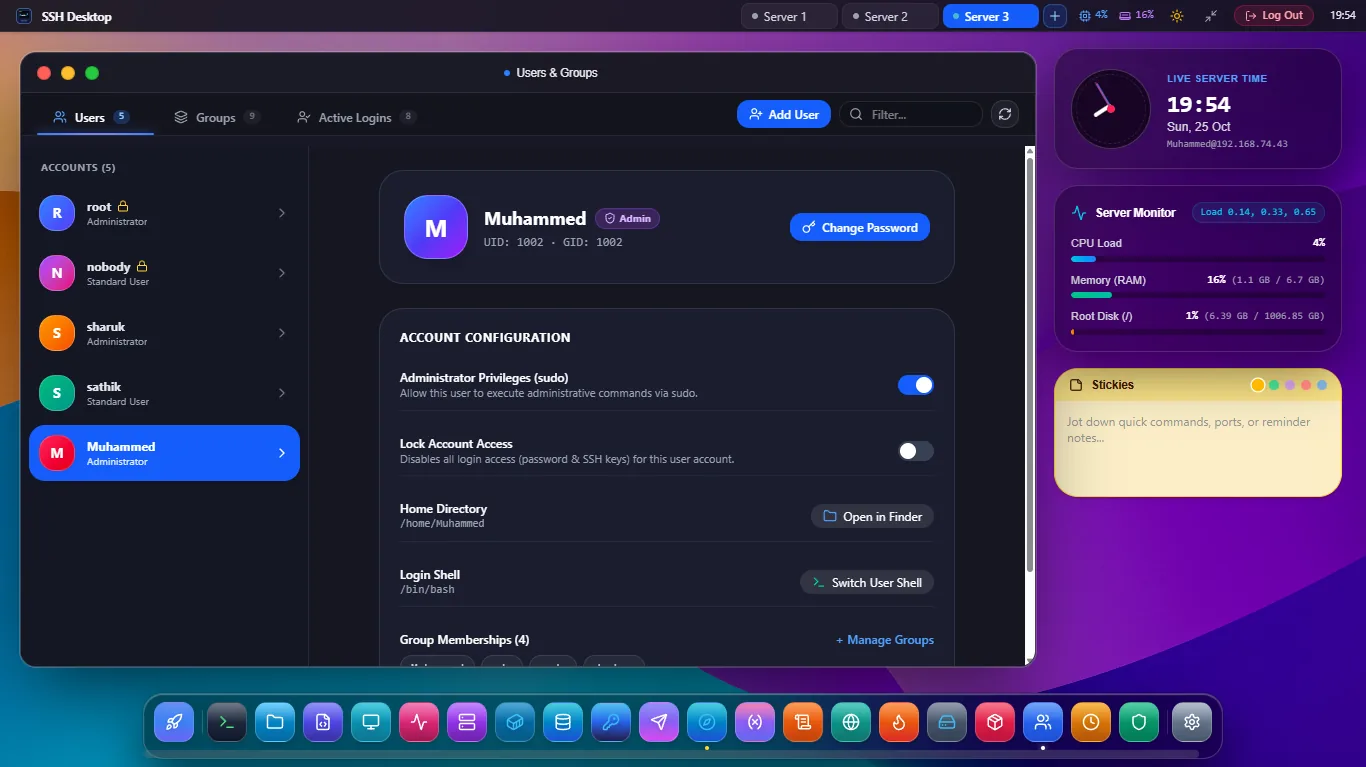
Identity & Sudo Privilege Governance
1-Click User Provisioning
Create user accounts with automated home directory allocation (/home/username), default shell selection (bash, zsh, fish), and optional expiry dates.
SSH Public Key Manager
Paste public keys (ed25519, RSA, ECDSA) directly into user accounts. Automatically verifies chmod 700 ~/.ssh and chmod 600 authorized_keys.
Safe Sudoers Toggling
Grant or revoke root elevation by toggling the sudo or wheel group. Validates syntax using visudo -c before saving changes.
Real-Time Active Sessions & Who Auditor
| Active Session Field | Underlying Linux Mechanism | Action in SSH Desktop | Security Purpose |
|---|---|---|---|
| Logged-in Users | /var/run/utmp, who, w |
Live list of all concurrent active TTY/PTS sessions | Spot unauthorized SSH connections immediately |
| Source IP & Hostname | Parsed from PAM session context | Displays remote IPv4/IPv6 client address | Verify logins originate from trusted VPNs/IPs |
| Idle Time & Current Command | Parsed from /proc/[pid]/stat |
Shows current running program and idle timer | Detect hung interactive sessions or forgotten jobs |
| Session Termination | pkill -KILL -t pts/[n] |
1-Click "Terminate Session" button | Instantly disconnect rogue or abandoned sessions |
Frequently Asked Questions
Can I disable password authentication for a user and enforce SSH keys only?
Yes. You can lock password logins with a single toggle (which sets passwd -l in /etc/shadow), ensuring the user can only authenticate via their configured SSH public keys.
Can I manage supplementary groups like docker, www-data, or libvirt?
Yes. An intuitive checklist lets you add or remove users from secondary groups in real-time, executing usermod -aG safely in the background.
Does SSH Desktop support deleting a user along with their home directory?
Yes. When deleting a user, an explicit checkbox lets you choose whether to preserve or permanently purge their /home/username directory and mail spool (userdel -r).
Master User & Access Governance on Linux
Download SSH Desktop for Windows, macOS, or Linux. Free and open source with 25 built-in server administration tools.