
🔄 Visual Tunneling & Dynamic SOCKS5 Engine
Visual SSH Port Forwarding & Tunnel Manager
Stop struggling with command-line `-L`, `-R`, and `-D` parameters. Configure encrypted tunnels with interactive network diagrams, automatic health monitoring, and one-click reconnects.
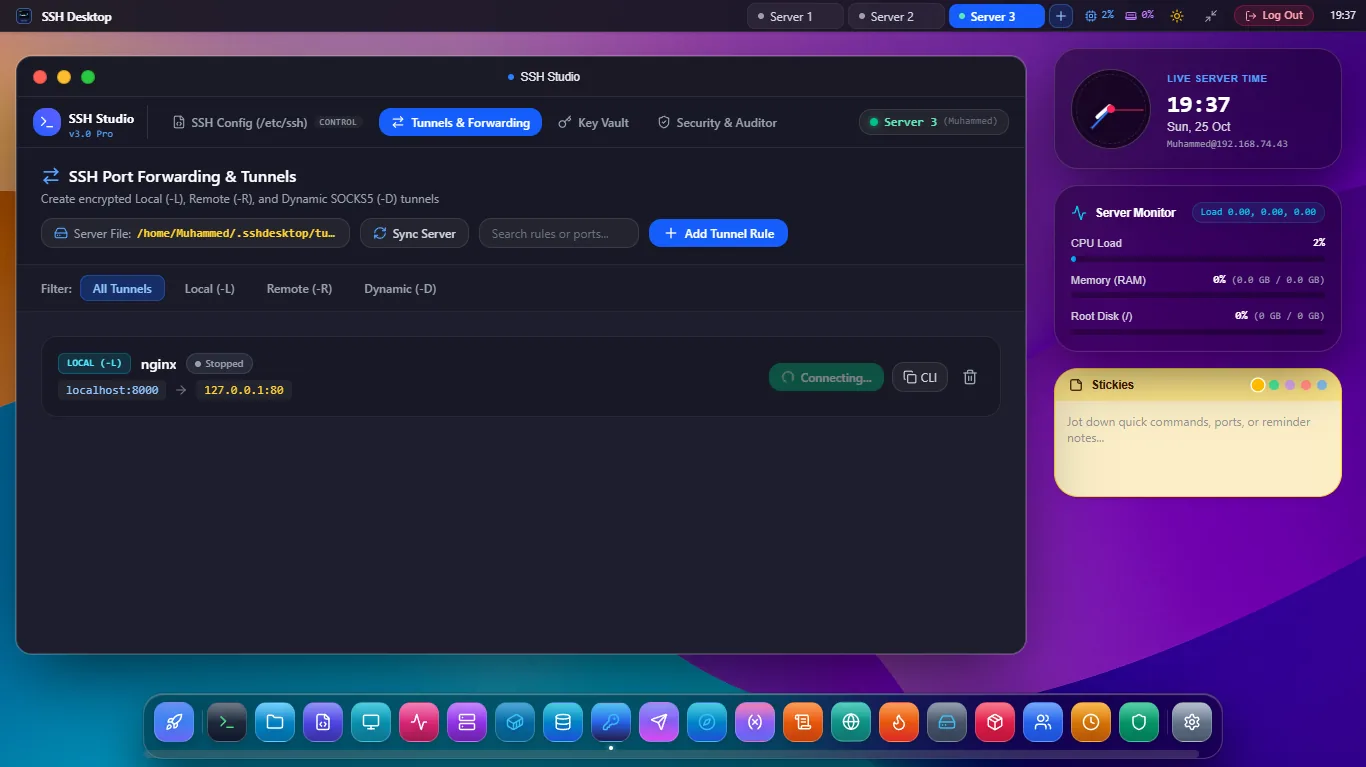
Figure 1: SSH Desktop Visual Port Forwarding & Tunnels — Interactive Local (-L), Remote Reverse (-R), and Dynamic SOCKS5 (-D) proxy manager with active connection telemetry.
Local Forwarding (-L)
Access Private Databases
Forward a local port (e.g. localhost:5432) through your SSH bastion to access private PostgreSQL, Redis, or Elasticsearch clusters securely.
Remote Reverse (-R)
Expose Local Services
Forward remote cloud server ports directly back to your local development machine. Perfect for Stripe webhooks and OAuth callback testing without Ngrok.
Dynamic SOCKS5 (-D)
Encrypted Browser Proxy
Turn any remote SSH server into an encrypted SOCKS5 proxy server. Route web browser or IDE traffic through secure remote nodes to access private internal portals.