
Visual Docker Web GUI & Container Management Hub
Control containers, inspect networks, stream live ANSI logs, and launch one-click exec terminal shells over encrypted SSH. No open daemon ports. Zero background agents.
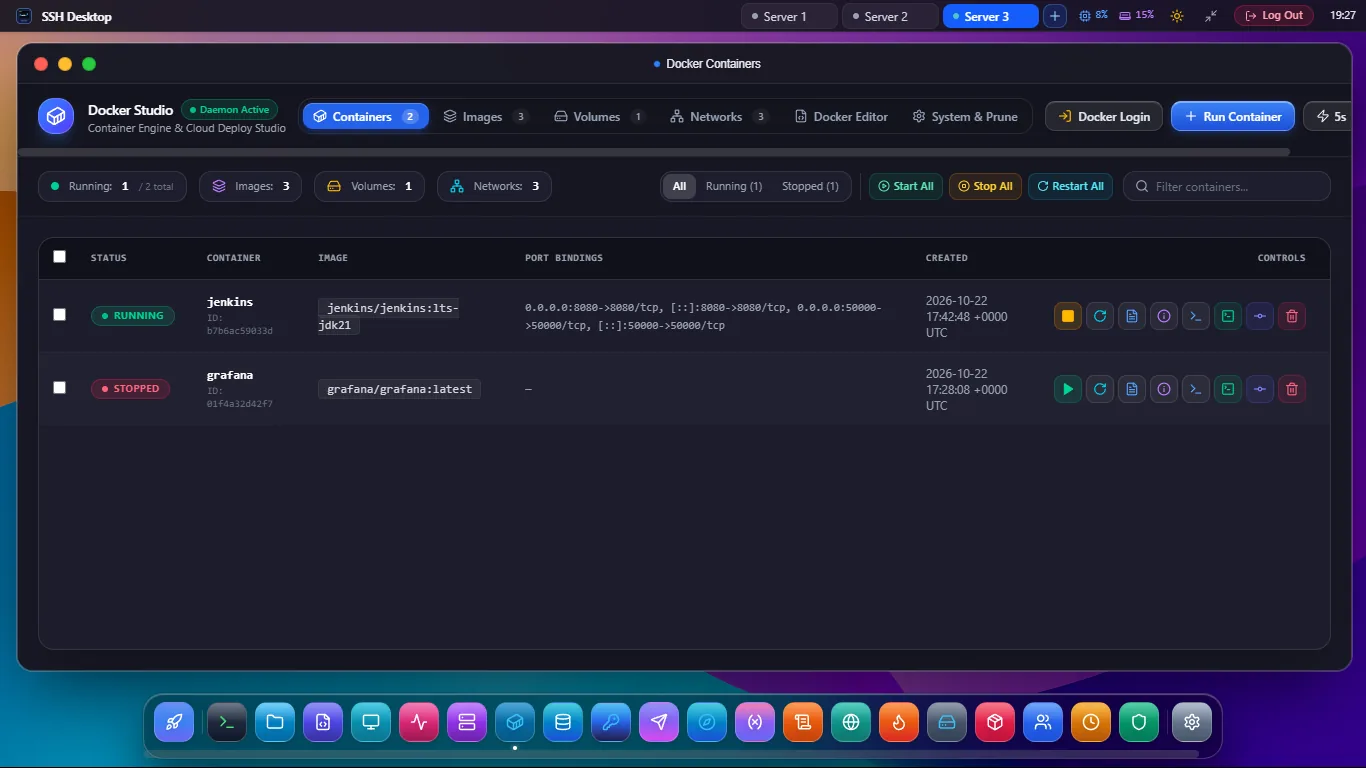
Everything You Need to Manage Docker Remotely
Eliminate cumbersome docker CLI commands with intuitive point-and-click container controls.
Full Container Lifecycles
Start, stop, restart, pause, and force-kill containers with single-click safety confirmation prompts. View uptime and status indicators instantly.
Live Streaming Logs
Stream real-time container stdout and stderr logs with keyword filtering, pause buffer, and vibrant ANSI syntax color rendering.
One-Click Exec Shell
Spawn an interactive terminal session inside any container (/bin/bash or /bin/sh) directly in your browser with full PTY allocation.
Image & Volume Pruner
Audit dangling image layers, inspect persistent Docker volumes, and reclaim gigabytes of valuable host disk space in seconds.
Zero Exposed Ports
Connects directly to /var/run/docker.sock through your secure SSH tunnel. Never expose port 2375 to public internet vulnerability scans.
Docker Compose Aware
Group containers by compose project. Inspect microservice stacks, port mappings, and bridge network connections in a unified visual dashboard.
SSH Desktop vs Portainer vs Docker Desktop
See why DevOps teams prefer our zero-agent approach over bloated container web panels.
| Feature / Capability | SSH Desktop | Portainer CE | Docker Desktop |
|---|---|---|---|
| Server Agent Requirement | 0MB (Zero Agent) | 200MB+ Agent Container | Heavy Local VM |
| Exposed Web Ports | None (Port 22 SSH) | Ports 9000 & 9443 | Localhost Only |
| One-Click Container Exec Shell | Built-in Xterm.js PTY | Web Console | Local Terminal |
| Integrated SFTP File Manager | Dual-Pane SFTP | No SFTP | No SFTP |
| Multi-Engine Database Studio | Postgres, MySQL, Redis | None | Extensions Only |
| Pricing & Licensing | 100% Free / Open Source | Freemium / Paid Tier | Paid Commercial ($9-$24/mo) |
Frequently Asked Questions
How does SSH Desktop connect to Docker without an agent?
When you establish an SSH session, SSH Desktop communicates directly with the local Docker daemon socket at /var/run/docker.sock using standard UNIX domain socket streaming over SSH channels. This eliminates the need to install or update any third-party container management agents.
Can I manage containers on remote cloud VPS instances?
Yes. Whether your server is on AWS EC2, DigitalOcean, Hetzner, Linode, or a local homelab server, as long as you have SSH access and your user belongs to the docker group, you can manage all containers seamlessly.
Does SSH Desktop support viewing Docker container stats?
Yes! You can monitor live CPU percentage, memory consumption in megabytes, network I/O, and block I/O per container in real time.
Start Managing Docker Visually Today
Download SSH Desktop for Windows, macOS, or Linux. 100% free with zero cloud dependencies.